Configure a video output
Last updated: July 12, 2026
Configure a video output
Use a video when the output needs narration plus visual sequencing for training, onboarding, demos, or explainers.
Choose the output type
Open the Output step in the agent builder and choose the artifact the agent should produce every run.
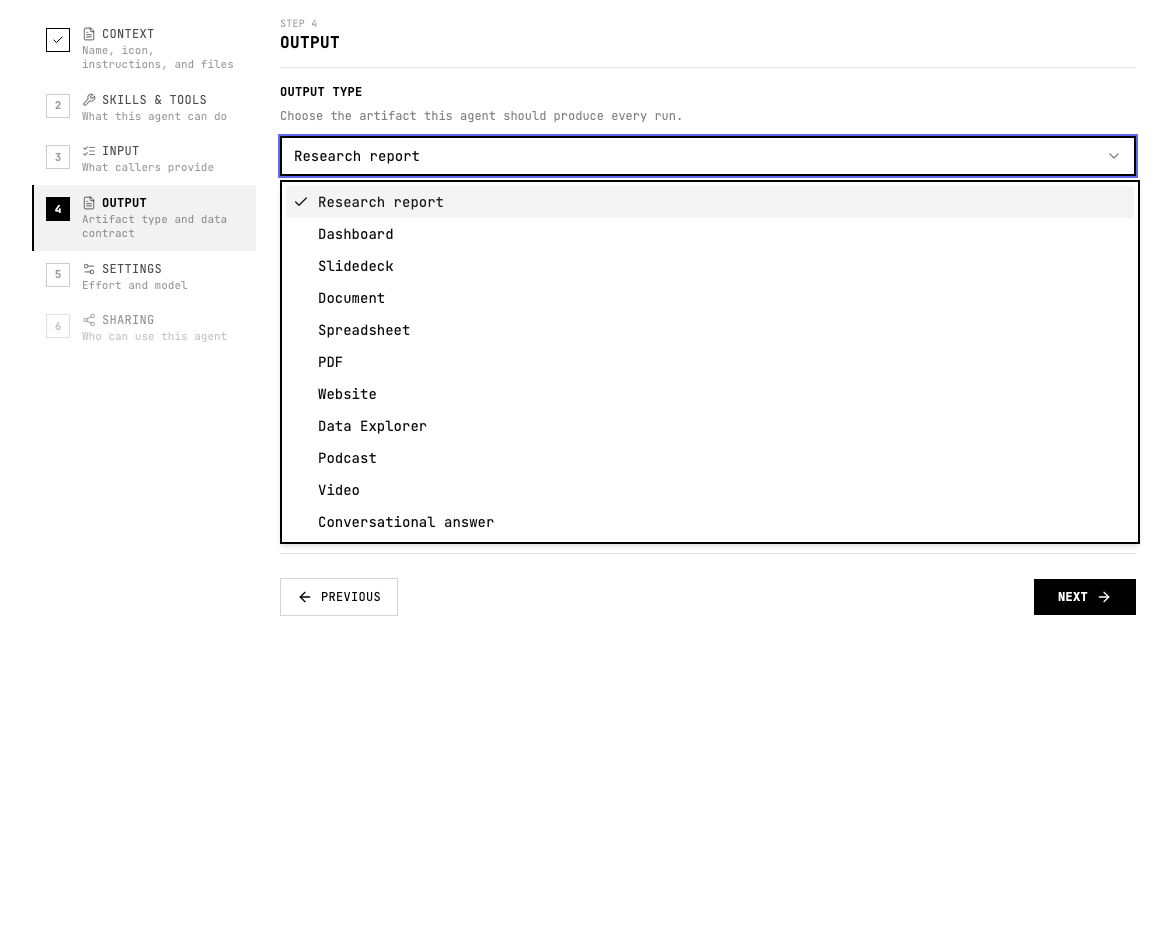
When to use Video
- The result should teach a process or explain findings visually.
- The audience benefits from scene-by-scene narration.
- You need a short guide, walkthrough, recap, or stakeholder update.
Configure Video
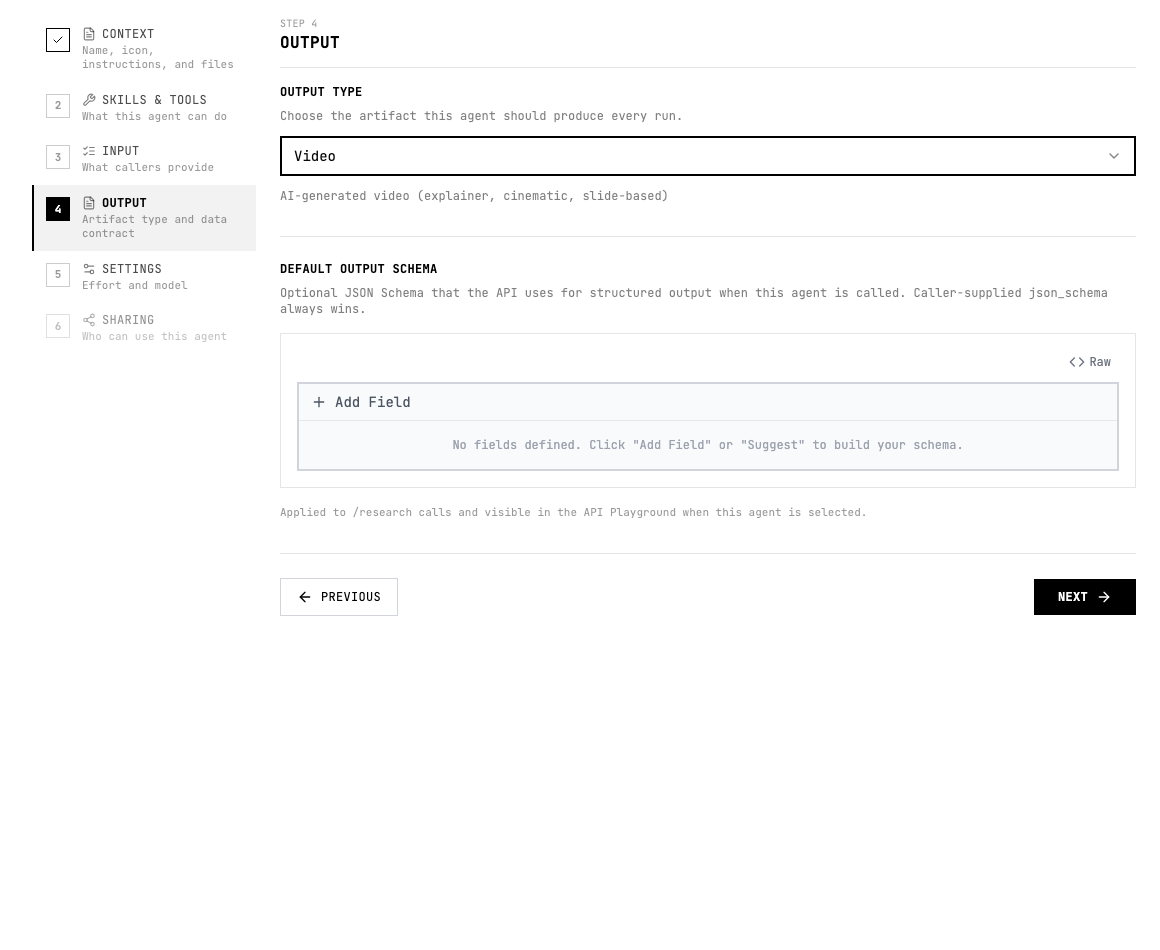
- Choose Video in the output type menu.
- Define the audience, target length, visual style, scenes, and what must be shown on screen.
- Keep the script tight and ask for source-backed captions or callouts where accuracy matters.
Instruction pattern
Add a short output instruction to the agent instructions or the relevant skill so the agent knows what good looks like.
Create a short narrated video plan with scene list, voiceover, on-screen text, visual callouts, and a concise closing recommendation.Quality checklist
- The audience and use case are clear.
- The output format is selected before testing.
- The agent instructions describe the expected sections, fields, or scenes.
- Important claims include evidence or source links.
- The output can be reviewed without guessing what each field or section means.
- If another system consumes the result, the schema and allowed values are stable.